
What Fomo is and who's behind it
Fomo is built by FOMO Labs, a team with past experience at OpenSea, dYdX and Uniswap. Benchmark led one of the company's funding rounds.
Many memecoin trading terminals are one dense screen of number tables. Fomo goes another way: every user has a profile and followers, a feed to scroll, and a leaderboard, and the buy button is always right there. The app is on both iOS and Android, and there's also a browser version.
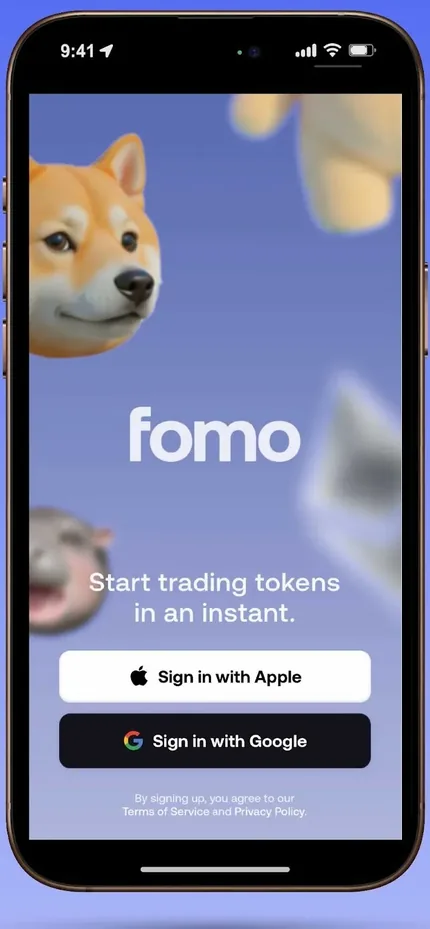
Signing up only takes an email, an Apple ID or a Google account, with no step where you write down a recovery phrase. The app creates a wallet for you. It's convenient, but it's still a non-custodial wallet, meaning you hold the keys, and you can export your private key when you need to.
If you want to compare Fomo with other bots that also have a mobile app, see our list of app-based bots.
Our take: who Fomo fits, where it's strong and where it's weak
Use it if you're new to memecoins, trade mostly on your phone, and want to see how other people enter and exit before you tap buy yourself. It also suits anyone buying tokens across several chains who doesn't want to deal with bridging or holding gas tokens.
Look elsewhere if you want trades to run automatically off a wallet: Fomo only sends alerts and doesn't copy trades for you, so check the copy trade bots we've ranked. Users in the US also can't use the perps side.
- See what price others got in atThe chart and feed show the timing, price and PnL of each trade, not just the token name.
- One balance, no gas worriesOne USD balance works on every chain, Fomo pays the gas, and fomo bridge runs cross-chain orders in under 1 second.
- Easy to start, like any normal appNo seed phrase to copy down; deposit with Apple Pay or a debit card, and withdraw to a bank where supported.
- Clear fees0.5% each way (0.45% through a referral link), no separate gas, and the total cost shows before you tap.
- A self-custody wallet with several layersKey split into shards, Face ID for withdrawals and key export; we haven't seen any confirmed hack.
- No automatic copy tradingYou buy yourself after reading the alert, so you're always entering after the person you follow, and the price may have moved.
- Easy to follow the crowdAlerts for tokens being accumulated, PnL cards to show off, a swipe to buy: everything makes buying faster than thinking.
- The leaderboard can misleadThere's a 24-hour window, but one big winning day says nothing about skill.
- Your wallet depends on your emailYou sign in with email or Apple ID, so a weak email means a weak wallet.
- A lot depends on where you livePerps are closed to US users; deposit methods and bank withdrawals vary by region.
- Referral commission isn't publishedFomo doesn't state a rate; the figure of about 25% comes from outside sources.
Finding tokens: the Home page, the token page and trade markers on the chart
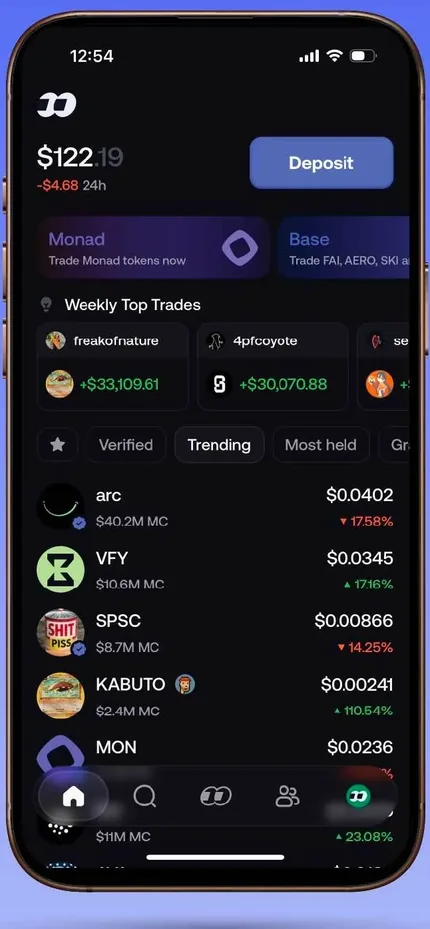
The Home page shows your balance right away with a Deposit button, a Weekly Top Trades section collecting the week's notable trades, then a token list split by three filters: Trending, Verified and Most held.
Tap a token to open its own page. It has the price, market cap, links to the project's website and social channels, and a list of Fomo users holding that token.
In our view, the most useful part is the chart. Fomo plots the points where other traders bought and sold, shows the PnL of each trade, and highlights the people you follow. You can see what price and when they got in, not just which token they picked.
To find something fast, use the Search box on the bottom navigation bar: type a token name or a username and it comes up.
Feed and Leaderboard: scroll trades, then pick who to follow
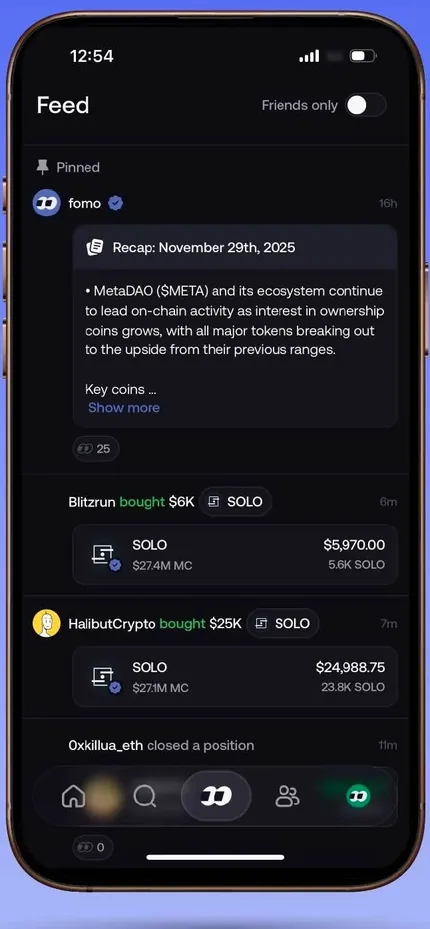
Feed opens from the center button on the bottom bar. Picture a timeline on X, except every post is a trade: who just bought which token, how much they put in, how much they sold, when they closed the position, how far the price has moved since entry, and how much profit or loss they locked in.
Posts on the feed come from two groups: the people you follow and the app's top traders. Fomo also posts a market summary here every day.
Open a trade and you can see how that trader accumulated the token and when they dumped it. Many trades come with a few lines of thesis, meaning their reason for buying.
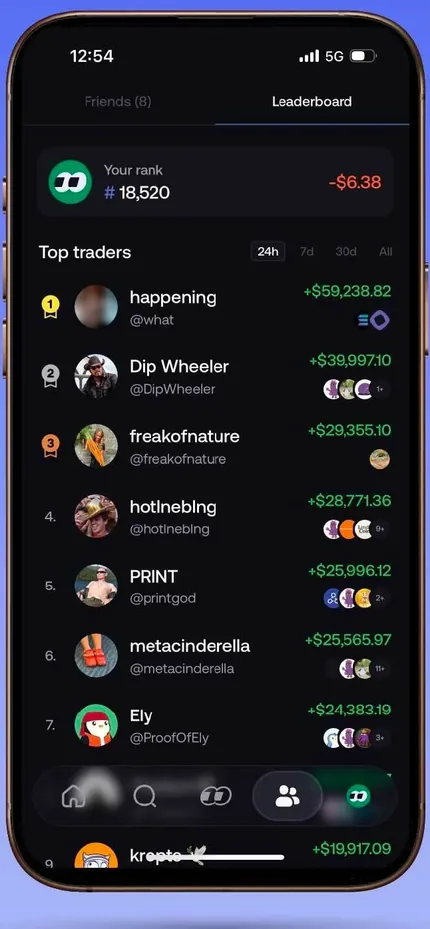
To find people worth following, go to Friends & Leaderboard. The board ranks traders by profit, with four windows to choose from: all time, 30 days, 7 days and 24 hours.
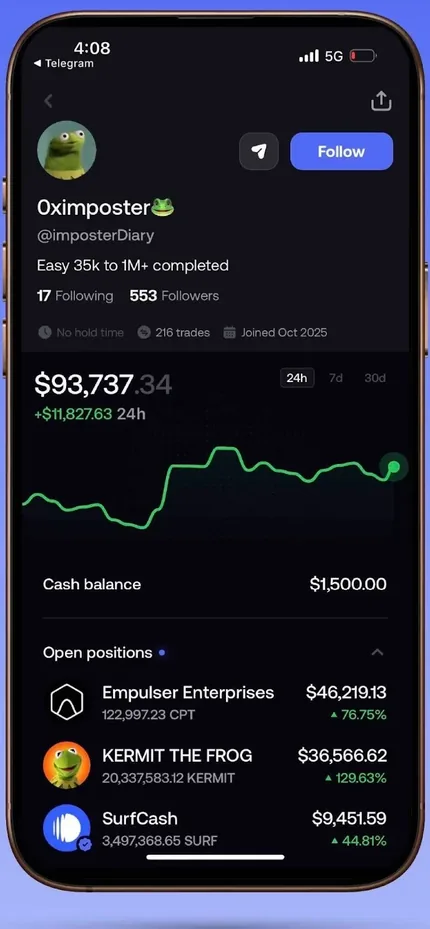
Tap a name to open that person's page, which shows their trade history, remaining cash, open positions and a portfolio chart. If it looks right, tap Follow and their trades will flow into your feed; to know the moment they make a move, turn on notifications just for them. The Friends tab right next to it is for finding and following friends.
Our advice: don't follow someone just because they top the 24-hour board. A big win in one day can be pure luck. Check the portfolio chart and a longer trade history before deciding.
Notifications: five types, one switch each
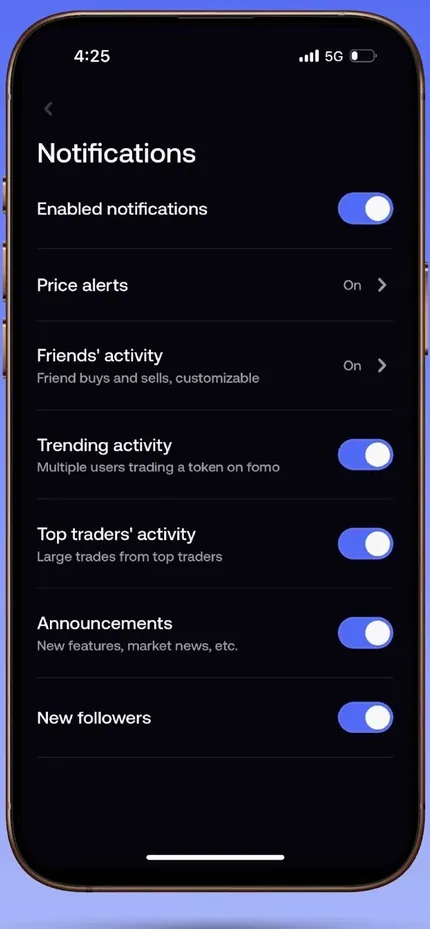
The feed is for scrolling, while notifications keep you from being late. Each type has its own switch in settings:
- Trades by people you followThe Friends' activity section. Set a minimum trade size to filter some out, for example only receiving trades of $1,000 or more, then turn it on individually for the people you want.
- Big trades by top tradersThe Top traders' activity section: alerts you when the people at the top of the board open large trades.
- Tokens being accumulatedThe Trending activity section: alerts you when a token is being bought by many traders.
- Moves in tokens you holdThe Price alerts section: alerts you when a token you hold moves sharply up or down.
- News from Fomo itselfThe Announcements section: new features, market news and analysis posts.
If you follow a lot of people, set the trade-size threshold from the start. Otherwise your phone buzzes nonstop, and you'll end up buying on reflex.
The app also has a Notification Center that gathers account activity into one timeline: follows, rewards, likes, leaderboard updates. You accept or decline clan invites there too. If someone follows you, their profile shows a Follow back button.
Entering trades: swipe to buy, pay with Apple Pay, routed through DFlow
Buying a token takes just two actions: set the amount on the token page, then swipe the buy button (slide-to-buy). It works the same way whichever chain the token is on.
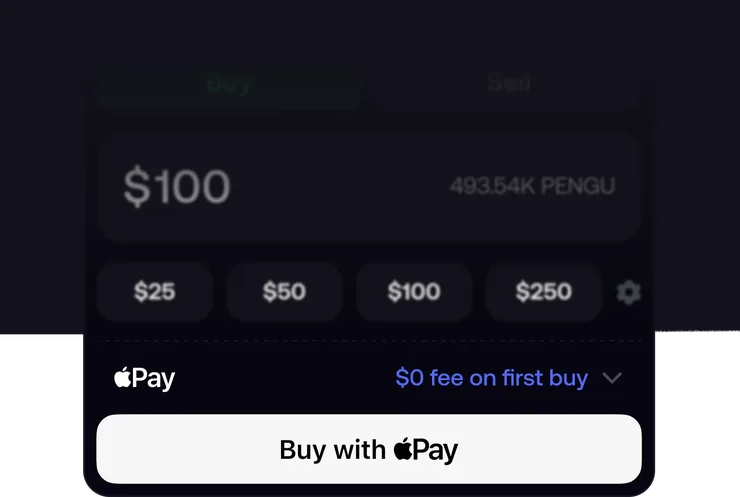
Usually the order is taken from the balance you've deposited. Some tokens also let you pay with Apple Pay right there, with no need to deposit first; Fomo says your first purchase this way is free of fees.
Your order is sent through DFlow, which handles routing and sandwich protection (MEV). Every position has a PnL card you can post to social media: a winner card when you're up, a "fumble" card when it goes wrong.
Swiping to buy is fast, but fast can easily turn into rushed. When you're starting out, we recommend setting yourself a fixed amount per trade.
Many chains, one balance, no gas to hold
On Fomo you don't have to hold SOL, ETH or BNB to pay gas. You deposit once into a USD balance, then use that same balance to buy tokens on every chain the app supports: buy a Solana token, then a moment later switch to a BNB Chain or Base token, with no manual bridging.
Fomo pays the gas for you. On EVM chains, this runs through smart wallets following the ERC-4337 standard.
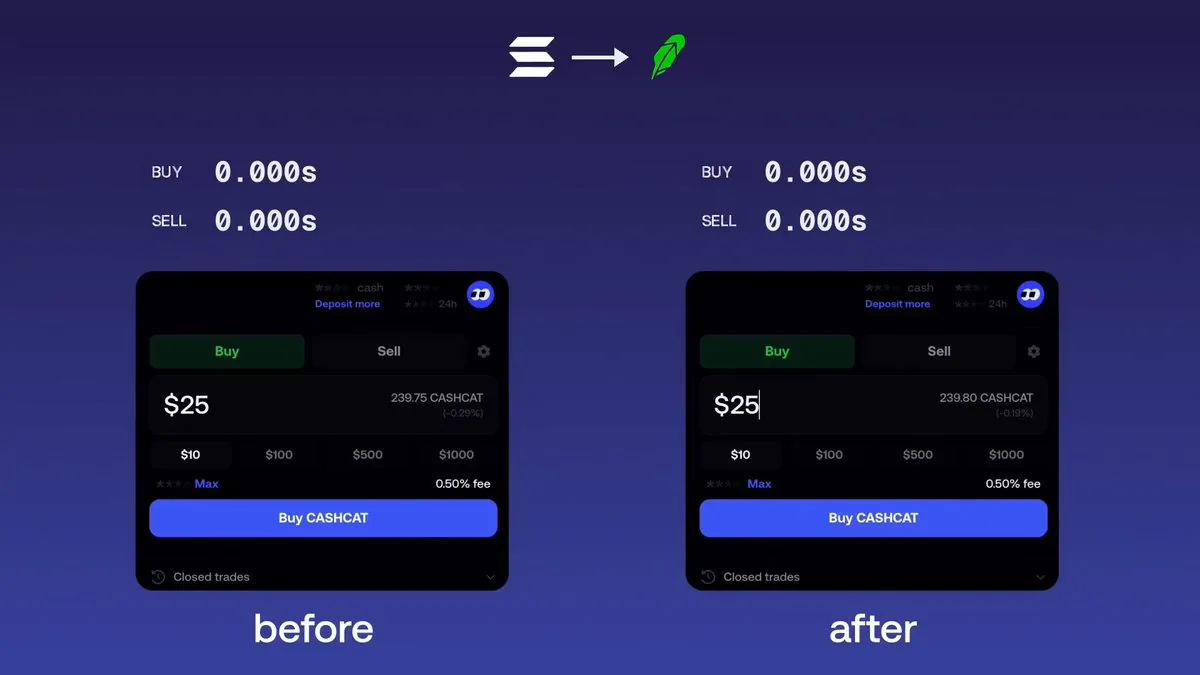
fomo bridge, Fomo's own bridge, opened to all users on Oct 22, 2026. Cross-chain orders going through it take under 1 second.
Fomo currently runs on Ethereum, Solana, BNB Chain, Base, Monad, Robinhood Chain, Arc and Elysium. For people who hop chains following the hype, this is the part of the app we find most convenient.
Deposits, withdrawals and your profile page
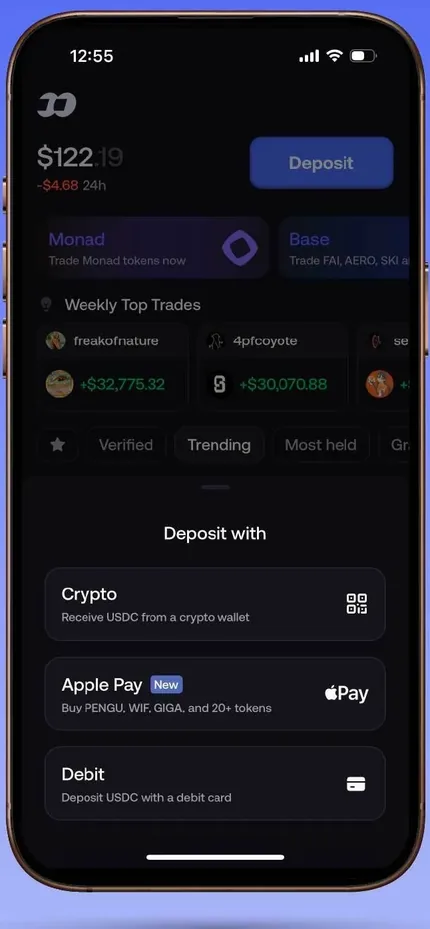
- Deposit USDC from another walletIn the deposit section, choose Crypto and the chain you want; the app shows an address and a QR code to send to. Only send USDC, and only over networks Fomo supports.
- Apple Pay or cardFor a quick deposit, use Apple Pay or a debit card. Which methods are available depends on your region.
- Withdraw to a crypto walletIn Withdraw, choose Crypto, then enter the destination wallet to receive USDC and check the network carefully. The funds arrive in just seconds.
- Withdraw to a bankLink a bank account to Fomo and you can withdraw, then wait about 3 business days for the money to arrive. Some regions can't use this yet.
The icon at the far right leads to your profile. It shows your traded volume, how many people follow you and how many you follow, a portfolio chart with several timeframes, open positions and your full trade history. To withdraw, tap your cash balance.
Anyone who searches your name on Fomo sees exactly this page, and the people who follow you can see your trades appear in their feed. In other words, trading on Fomo isn't fully private.
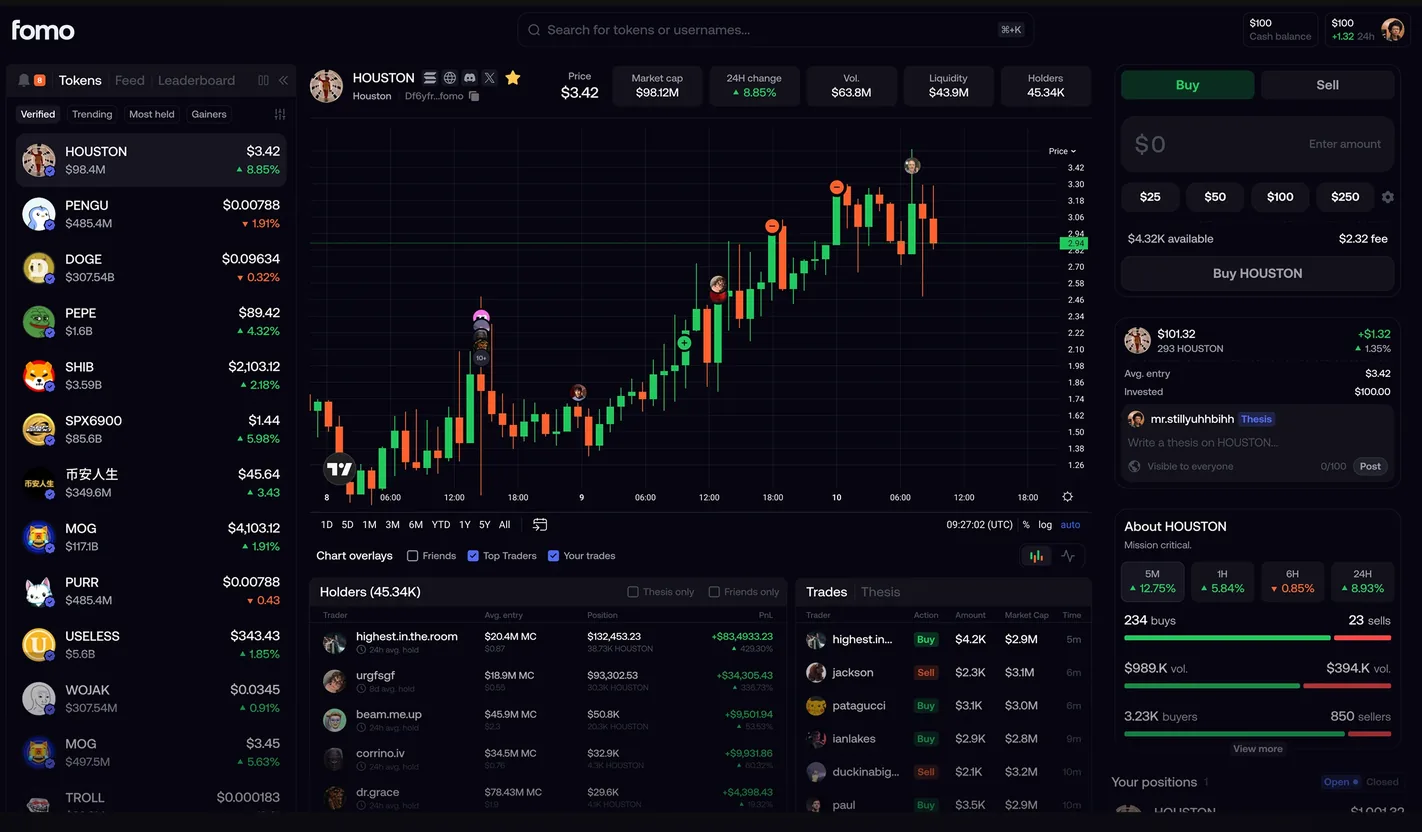
Fomo on desktop: Discover, TradingView charts, floating window
The web version has been around since Apr 29, 2026. Sign in with the same account as on your phone and you'll see your balance, positions, profile and the people you follow again. Data is shared, so a trade opened on your phone can be closed on your computer. The charts on web are from TradingView, with live drawing and indicators you can add.
Since October 2026, the main page of the web version is Discover: live-updating token tables, quick-buy buttons, and a Watchlist strip for tokens you're keeping an eye on. You can arrange several tables side by side, reorder the columns as you like, and filter tokens by liquidity. Opening a token brings up a floating window with the swap panel, chart, holders and thesis; click the launchpad icon to go straight to the token's original page.
In our view, the web version is better for studying charts and watching many tokens at once, while the phone app is better for receiving alerts and entering trades fast.
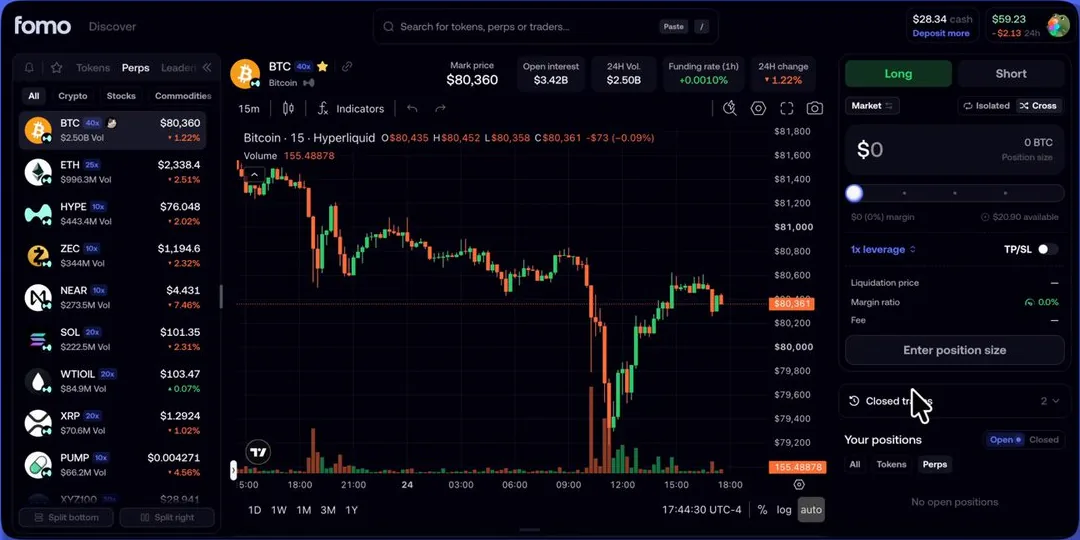
Perps: long and short stocks, indices, gold and oil right on Fomo
Perps came to the app on Jun 11, 2026 and to the web version on Oct 25, 2026. Fomo doesn't run its own perps exchange; the infrastructure behind it is Hyperliquid and Trade.xyz.
The lineup has more than 290 markets, and many of them aren't crypto:
- Commodities: gold, silver, oil.
- Indices: Nikkei 225, Nasdaq 100, S&P 500.
- Stocks: AMD, GOOGL, NVDA, ANT (Anthropic), and even pre-IPO stocks like SpaceX.
- Crypto: BTC, ETH, SOL and HYPE.
To place a perps order: choose Long or Short, choose your leverage, then set TP/SL. The web version adds a scale order, which splits an order across multiple price levels when opening or closing a position. Both the app and web have a trailing stop: a closing order that triggers automatically when the price reverses by the percentage you choose. Perps positions sit in the same portfolio as spot tokens. If someone you follow holds perps positions, you'll see them on the feed, on the leaderboard and in their profile too.
What each trade costs, and the commission for inviting others
- Spot fee0.5% on every buy and every sell, dropping to 0.45% if you sign up through a referral link.
- Small orders on SolanaFees follow fixed tiers.
- GasNo separate charge, since Fomo pays it for you. You see the total cost before you tap confirm.
- Trading rebateThe refunded Solana fee shows up in your trade history under this name, starting Oct 16, 2026.
Counting both the buy and the sell side, a round trip costs about 1% of the amount, or 0.9% if you go through a referral link (small orders on Solana are charged by tier). To put this next to other bots, see our bot fee ranking.
Your referral link is in the app: open your profile and tap the gift box icon in the top right corner. Anyone who joins Fomo through your link gets 10% off fees, as mentioned above. The referrer earns commission on each of the invitee's trades; Fomo doesn't publish this figure on the Affiliate page, while outside sources say about 25%.
For content creators, Fomo has a separate Affiliate Program: submit an application on fomo.family, and Fomo reviews each one individually. Once accepted, you get a dashboard tracking how many people you've invited and what you've earned. Commission is calculated per trade, paid to your Fomo account in real time, with no cap, and the higher your tier, the higher the reward.
How money on Fomo is protected, and which part is your job
Wallets on Fomo are self-custody. The private key doesn't sit whole in one place: it's split into several shards using Shamir's Secret Sharing, and the shards only combine into a complete key inside secure hardware, at the moment a transaction is signed. That's why Fomo can't withdraw money from your wallet on its own, and can't freeze it either.
The rest is up to you:
- Lock down your emailAnyone who gets into your email or Apple ID is already at the door of your Fomo wallet. Use a hard-to-guess password for your email and turn on 2FA (two-step verification).
- Keep Face ID onFomo requires Face ID in three places: when opening the app, when withdrawing and when exporting the private key.
- Nobody should ask for your keyNo Fomo channel, whether email or messages, will ever ask you for your recovery phrase, password or private key. Anyone who asks for those is a scammer.
- Read the warning labelsTokens showing signs of being malicious get a warning label; tokens from launchpads also get a warning about token tax. The app doesn't block buying any token, so when you see a label, stop and check.
Start with Fomo using a small amount
- Join Fomo through our linkIt doesn't cost you anything extra, and in fact your trading fee is cut by 10%: 0.45% instead of 0.5%.fomo.family
- Install the app or open the web versionDownload Fomo from the App Store or Google Play, or just use it on fomo.family. Open an account with Google, Apple ID or email, then turn on 2FA for that email.
- Deposit a little, follow a few people, try a small tradeStart with a small amount, deposited via USDC, card or Apple Pay. Look closely at the profiles of a few traders on the Leaderboard, tap Follow, turn on notifications, then try a few small trades; only raise your size once you're used to how the app works.
Through our referral link, at no extra cost.
Open FomoScreenshots taken on November 23, 2026; the interface may change. Not investment advice: memecoins are high-risk, only use money you can afford to lose.